Activities and how they attach to programmes
Group what you run — ballet, swimming, guitar — so a parent can tell what a programme is and a report can total a subject rather than eleven programme names.
3 min read
Eleven swimming programmes, no way to total them
By the end of a year you have Beginners Swim Tues, Water Confidence Sat AM, Stage 2 Thursday, and a list of others. A parent cannot tell from the names what half of them are. Neither can a report.
An activity is the kind of thing you run, sitting one level above your programmes. Ballet. Swimming. Guitar. Coding. "Autumn Term Beginners Ballet, Tuesdays" is one specific offering; the activity Ballet is what it is an example of.
That layer does two jobs. A family reading your booking page can tell at a glance what a programme is, without decoding your naming convention. And you can ask a question about swimming as a whole rather than about eleven separately named programmes.
What goes on an activity
An activity carries a name, a description and images, including a cover photo. Families read these while they are deciding, so write the description for a parent who has never been inside: what happens in a session, who it suits.
Keep the name to the thing itself. Swimming is the activity. The level, the age group and the term live on the programme — Packages and batches explained covers how programmes and their schedules are put together.
Where you attach one
Activities attach to a timing, not to the programme as a whole. Open a programme, go to Schedule and Pricing, expand a batch's Schedule, and the Timings and Instructors row carries an Add Activity box beside the instructor picker.
That placement is the useful part. A holiday camp that swims at ten and paints at two is one programme, one batch, two timings, each tagged with what actually happens in it. Tagging at programme level could not tell those apart.
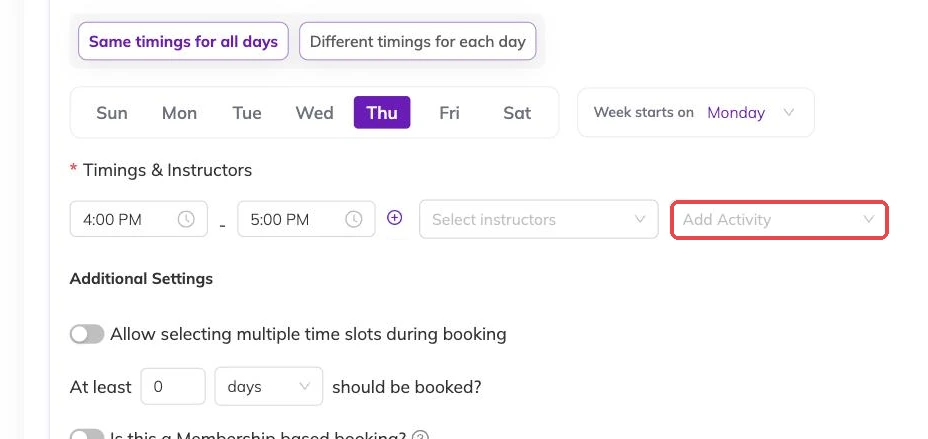
One row, three decisions
The timing row is where a session gets its shape: when it runs, who teaches it, and what it is. All three sit together because changing one usually means revisiting the others.
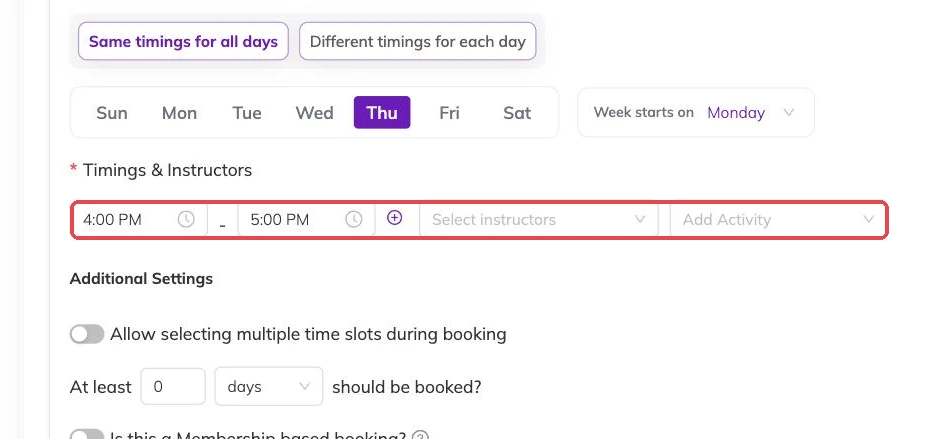
Turning it on
Add Activity only appears if activities are enabled for your account. If the box is not on your timing row, that is why — the schedule looks the same in every other respect. Ask your customer success contact to switch it on.
Sessions that differ inside one batch
Where sessions inside one batch do different things, tagging each timing separately is what makes the difference visible. A camp that swims on Tuesday and paints on Thursday can say so.
This pays off in reporting rather than in booking. Set it where the difference is real. Leave it alone where every session is the same thing.
Keep the list short
A short list of broad activities is worth more than a long list of narrow ones. A parent scanning your programmes wants recognisable words. A report grouped by a handful of activities tells you something; a report where each activity matches one programme tells you what you already knew.
The test is whether you would use the word in conversation with a parent. "Ballet" passes. "Ballet Grade 2 Tuesdays" is a programme.
Renaming and removing
Renaming is safe. Programmes and bookings point at the activity itself rather than a stored copy of its name, so the new name shows everywhere the old one did.
Removing is deliberately harder. An activity cannot be removed while a programme still carries it, and cannot be removed once it appears on a booking — including bookings from terms that have finished. Detach it from your programmes first, and where bookings reference it, expect it to stay. An unused activity sitting in the list costs you nothing and keeps your booking history readable.
More on programmes
The page families book from
What families see on your booking page, what decides how a programme appears in the list, and the five reasons one is missing.
Checking what is actually running
How to see every session your batches produce across programmes, instructors and centres, and the checks worth doing there before a term opens.
How places are counted, and who can book
Why a batch that looks half empty can still refuse a booking, where the number of places lives, and the controls that decide which children are eligible.