Getting started with Bookingo
Set up your centre, create your first package and take your first booking. The five things to do on day one, in the order that avoids rework.
5 min read
What you'll set up
Bookingo is organised around a small number of ideas, and setting them up in the right order saves a lot of backtracking. A centre is a physical location. A package is something families can book — an after-school club, a term of dance classes, a holiday camp. Each package contains one or more batches, which are the actual schedules people book onto. Participants are the children, and accounts are the families they belong to.
Almost every problem new centres run into comes from creating packages before centres, or batches before deciding whether a programme repeats weekly or runs on fixed dates. Both are awkward to change later.
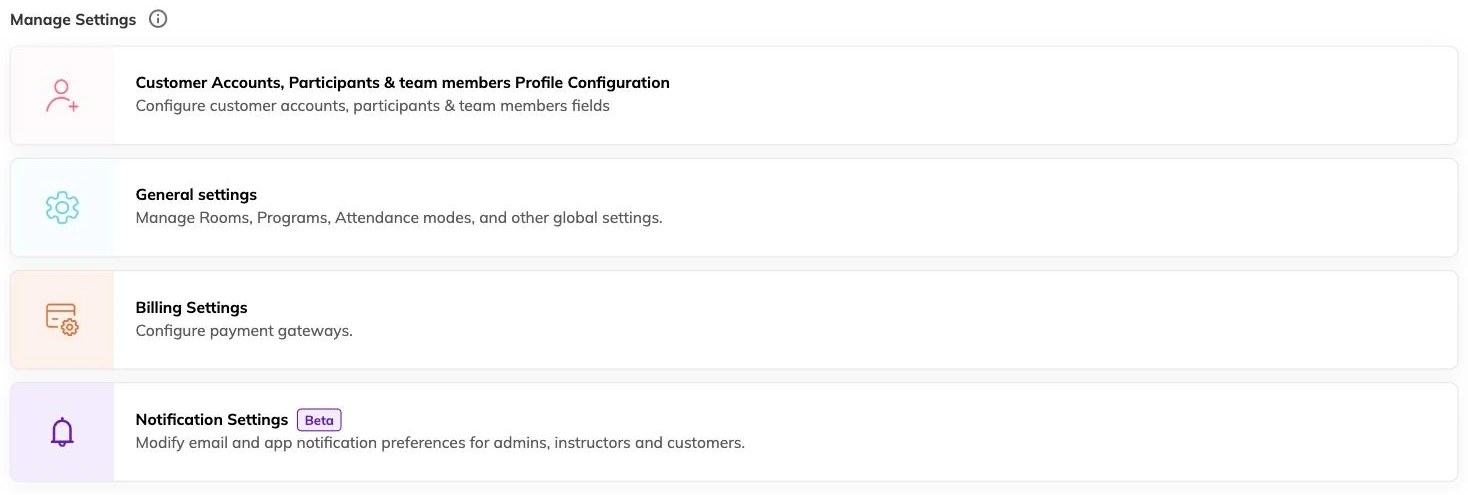
Day one, in order
- Add your centre or centres. Even if you only have one location, everything else attaches to it.
- Set your currency and tax rates before creating any pricing, so your first invoices are right.
- Create your first package — the thing families recognise and choose.
- Add a batch to that package with its schedule and capacity.
- Take one test booking end to end, including payment, before inviting families in.
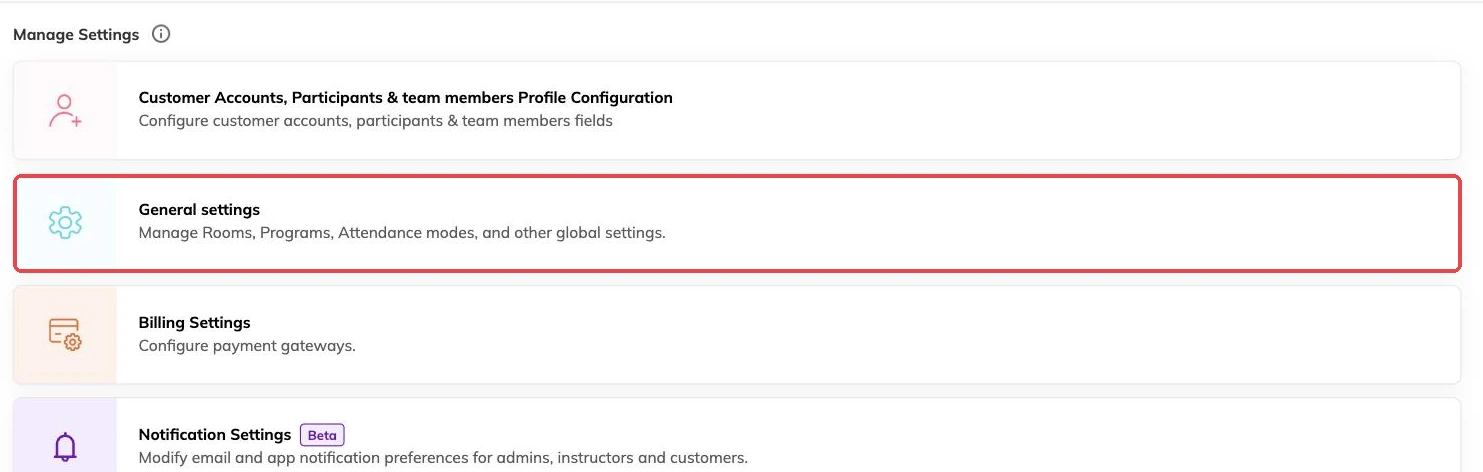
Who can do what
Staff members have roles that control what they can see and change. Super admins can do everything, including connecting external systems and changing billing settings. If you run multiple centres, staff can be restricted to specific ones, so a coordinator at one location sees only their own participants and bookings.
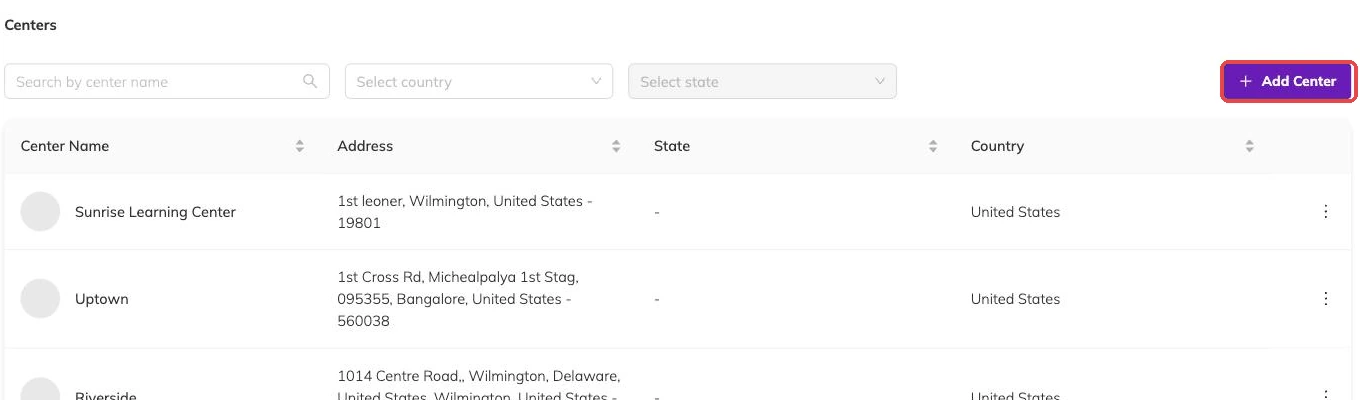
More on getting started
Take your first booking end to end
Book a child in yourself, take the payment and cancel it cleanly, so you meet your own booking process before a parent does.
Create and publish your first programme
Take one class from nothing to bookable, and get the one setup decision you cannot undo right the first time.
What to check before families start booking
The checks that are a small edit today and mean moved children, reissued invoices and a rebuilt batch if you leave them until after.